Trust
Trust is Brisal’s deny-by-default gate on each project. Projects can ship their own skills and hooks — project-local instructions and scripts Brisal may run automatically as you, on your machine. Until trusted, they stay inert.
Why it exists
Skills and hooks are powerful automation. A hook runs commands at set points; a skill provides procedures. Deny-by-default ensures opening an unfamiliar project never silently runs its automation. You see it, you decide.
Everything else works untrusted: reading files, chatting with an agent, and running your own commands. Trust gates only one thing: whether the project’s own skills and hooks load.
The trust banner
When opening an untrusted project, an amber banner appears in its detail and session views:
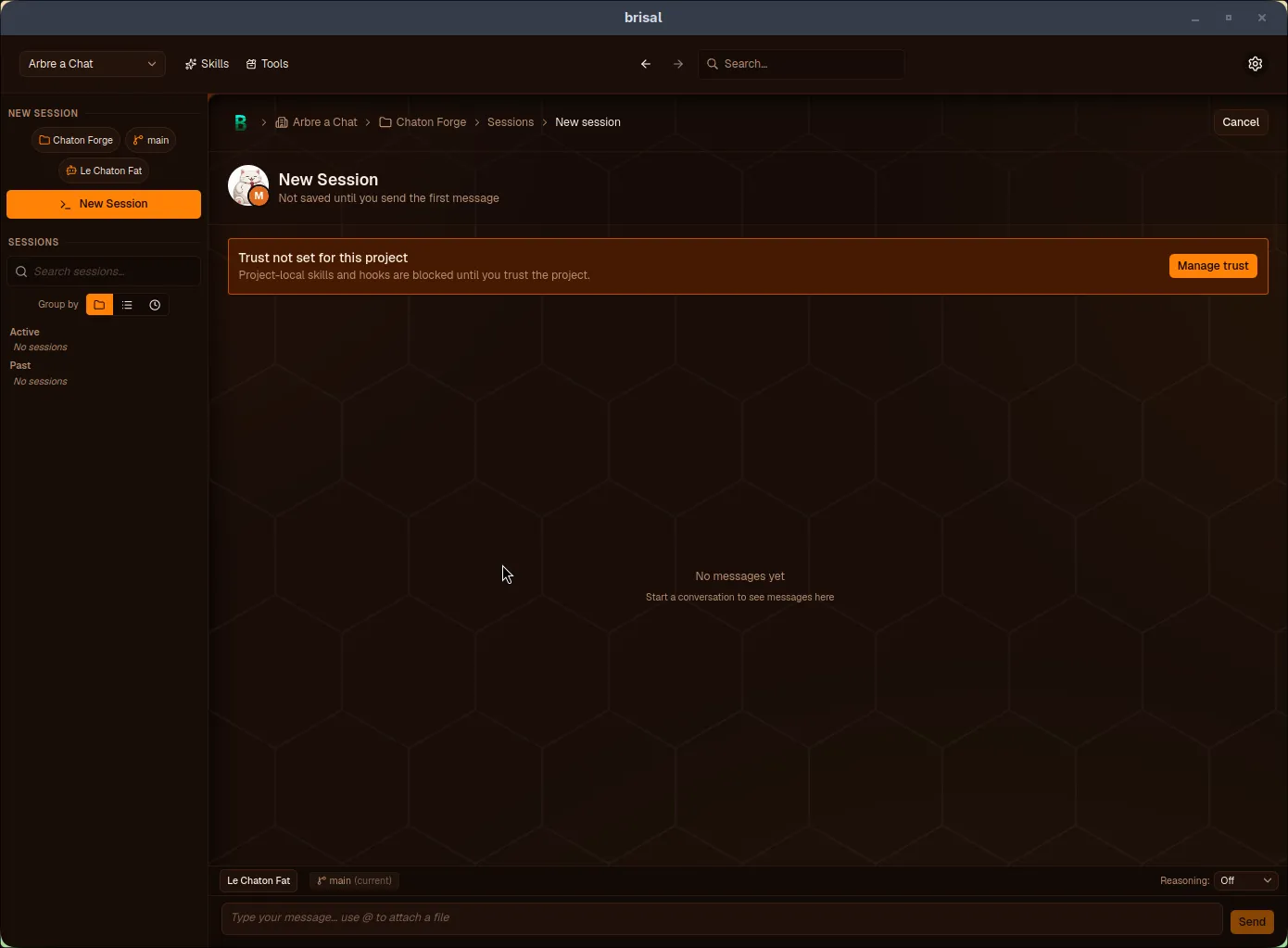
“Trust not set” banner. Skills and hooks stay blocked until you press Manage trust.
Managing trust
Pressing Manage trust opens the dialog:
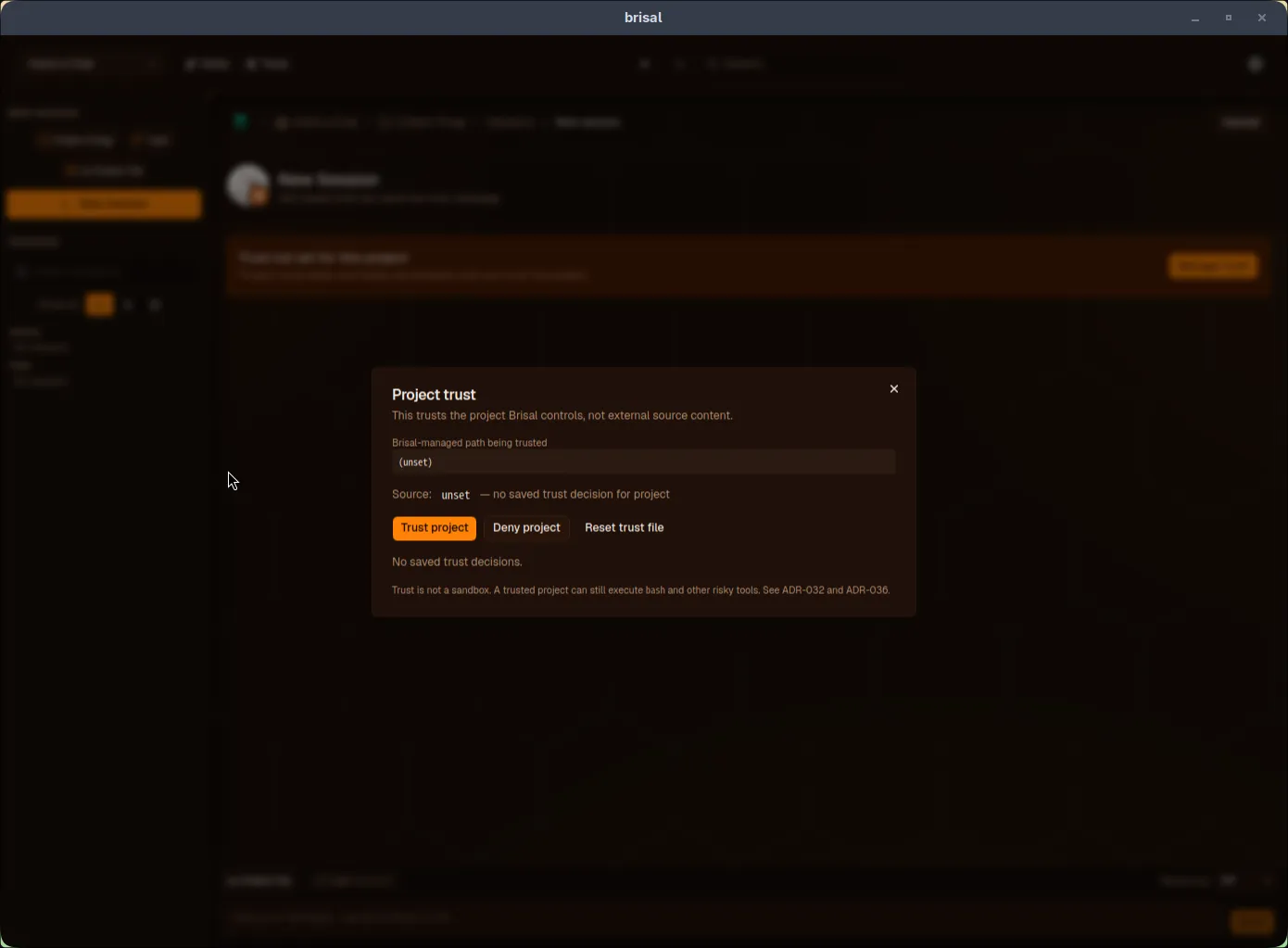
From here you can:
- Trust project — allow skills and hooks to load
- Deny project — keep them blocked, recorded as a deliberate decision
- Reset trust file — wipe stored decisions to recover from corruption
Decisions are saved. The dialog shows the current source — project-level, worktree-level, or unset. Once trusted, the banner disappears and the project’s skills and hooks become available to its sessions.